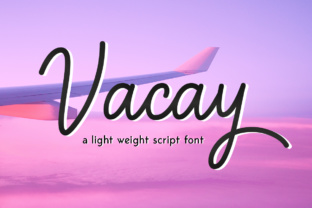
Vacay: A Sleek and Stylish Font for Professional and Creative Projects
Vacay is more than just a font—it's a design tool that can elevate the visual appeal of your work while maintaining readability. This monoline script font offers a clean, modern aesthetic that works well in both digital and print formats. Whether you're designing a logo, creating marketing materials, or working on a personal project, Vacay provides a polished look that stands out without overwhelming the viewer.
For professionals and creatives, choosing the right font is crucial. It can make the difference between a project that feels professional and one that looks amateurish. Vacay’s balanced weight and flowing lines make it an excellent choice for those looking to add a touch of elegance to their designs. But like any tool, it's important to use it wisely to avoid common pitfalls that could undermine its effectiveness.
The Importance of Choosing the Right Font
Fonts are often overlooked until they cause a problem. A poorly chosen font can make text hard to read, reduce the clarity of your message, or even clash with the overall design. With Vacay, the risk of these issues is lower due to its legibility at various sizes. However, there are still key considerations to keep in mind when integrating this font into your work.
One common mistake is using a font that doesn't match the tone of the content. For example, a casual script like Vacay might not be the best choice for a formal business report. While it adds style, it could make the document appear less professional. Instead, consider using Vacay for headings, logos, or social media graphics where a more expressive style is appropriate.
Misunderstandings About Font Usage
Some users assume that a beautiful font will automatically improve their design. This isn't always the case. The way a font is used—such as spacing, color, and placement—can have a significant impact on the final result. For instance, using too much text in Vacay without proper spacing can lead to a cluttered appearance, making it harder for readers to focus on the message.
Another misunderstanding is that all fonts are interchangeable. While Vacay is versatile, it may not work well in every context. For example, if you're designing a website, you need to ensure that the font is web-safe or properly embedded. Failing to do so can result in inconsistent display across different devices and browsers, which can frustrate users and harm your brand's credibility.
One frequent error is overusing the font. While Vacay is visually appealing, using it for large blocks of text can reduce readability. A better approach is to use it selectively. For example, apply it to headlines, titles, or call-to-action buttons rather than body text. This keeps the design clean and ensures that the message remains clear.
Another mistake is not testing the font in different contexts. What looks good on a screen may not translate well to print, or vice versa. Before finalizing a design, test Vacay in various formats to see how it performs. This helps identify any issues early on and allows for adjustments before the project goes live.
To get the most out of Vacay, start by understanding its strengths and limitations. Use it in ways that complement your design rather than overpower it. For example, pair it with a sans-serif font for body text to create a balanced look. This contrast can enhance readability while still allowing Vacay to shine in key areas.
Also, pay attention to typography basics such as line height, kerning, and leading. These small details can greatly affect how the font appears and how easy it is to read. If you're unsure about these settings, consider using design software that offers built-in typography tools to help you fine-tune the appearance of Vacay.
Before downloading or purchasing Vacay, verify that it's available in the correct format for your needs. Some fonts come in multiple versions, such as OTF, TTF, or web font formats. Make sure to choose the version that works best for your project. For web use, for example, a WOFF or WOFF2 file is typically required.
Additionally, check the licensing terms. Fonts are often licensed for specific uses, such as personal or commercial projects. Using a font beyond its intended purpose can lead to legal issues. Always review the license agreement to ensure that you're compliant with the terms.
Realistic Examples of Better Approaches
Instead of using Vacay for an entire brochure, try applying it to the title and subheadings while using a simpler font for the body text. This creates a hierarchy that guides the reader through the content without overwhelming them. Similarly, for a website, use Vacay for navigation menus or featured sections to draw attention without sacrificing readability.
When designing a logo, consider how Vacay will look in different sizes. A font that looks great at 72pt may become too thin or difficult to read at 12pt. Test the font at various sizes to ensure it maintains its clarity and impact across all applications.
Final Thoughts on Using Vacay
Vacay is a powerful tool that can enhance the visual appeal of your work when used correctly. By avoiding common mistakes and following practical tips, you can maximize its potential while ensuring that your designs remain functional and effective. Whether you're a designer, marketer, or small business owner, taking the time to understand and apply Vacay thoughtfully can make a big difference in the quality of your output.
Remember, the goal is to communicate clearly and professionally. With the right approach, Vacay can help you achieve that goal while adding a touch of style and sophistication to your projects.