Humble: A Versatile Font for Modern Design Workflows
In the world of design, typography plays a crucial role in conveying tone, style, and personality. One font that stands out for its elegance and versatility is Humble. This font offers both script and sans serif styles, making it an excellent choice for designers looking to add a touch of whimsy without sacrificing modernity.
Understanding Humble: Script and Sans Serif Styles
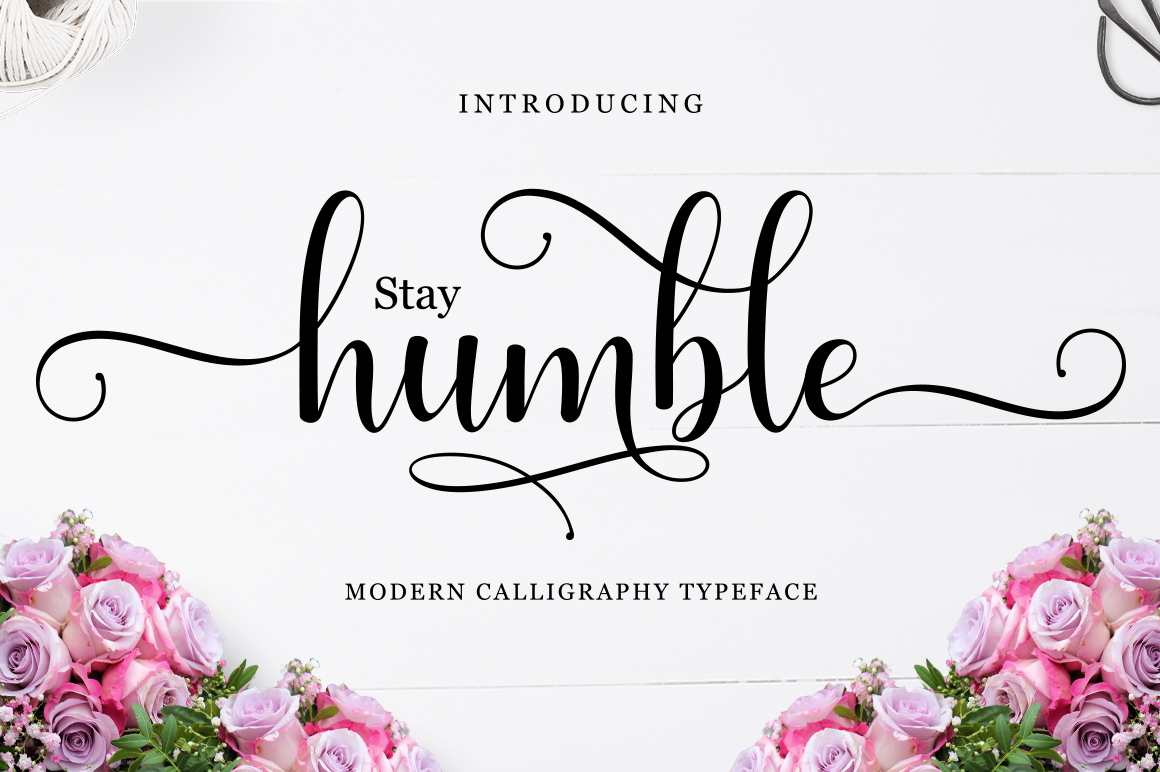
The Humble font family includes two distinct styles: a script and a sans serif variant. The script version brings a soft, flowing aesthetic that evokes a sense of romance and creativity. It’s ideal for projects that require a personal or artistic touch, such as wedding invitations, greeting cards, or branding materials for boutique businesses.
The sans serif style, on the other hand, provides a clean and contemporary look. It’s perfect for headings, logos, and digital interfaces where clarity and readability are essential. By combining these two styles, designers can create visual contrast that enhances the overall composition while maintaining a cohesive theme.
Integrating Humble into Your Workflow
Whether you're working on a personal project or a professional assignment, Humble can be integrated at various stages of the design process. Before starting a project, consider how the font will contribute to the overall message and visual identity. For instance, if you're designing a website for a romantic event planner, the script style of Humble could be used for headlines to reinforce the theme.
During the execution phase, use Humble to maintain consistency across different elements. For example, if you're creating a marketing campaign, apply the sans serif version for body text and the script version for headlines. This approach ensures visual harmony while allowing for creative expression.
After completing a project, review how Humble interacts with other design elements. Check for legibility, especially in smaller sizes or on digital screens. Make adjustments as needed to ensure the font complements the rest of the design without overpowering it.
Practical Use Cases for Humble
Humble is particularly useful in scenarios where a blend of tradition and modernity is desired. For instance, in the realm of social media marketing, using the script style for captions or headlines can add a unique flair that captures attention. Meanwhile, the sans serif version can be used for call-to-action buttons or navigation menus to maintain a clean and functional interface.
For educators and content creators, Humble can enhance the visual appeal of presentations, worksheets, or e-books. The script style can be used for titles or key points, while the sans serif version works well for body text. This combination not only improves readability but also makes the content more engaging for the audience.
Entrepreneurs and small business owners can leverage Humble for branding purposes. Whether it's a logo, business card, or packaging design, the font adds a distinctive character that sets their brand apart. Pairing the script and sans serif styles allows for a balanced look that appeals to a wide range of customers.
Compatibility and Usability Considerations
When incorporating Humble into your workflow, it's important to consider its compatibility with different platforms and software. Most design tools, including Adobe Creative Suite and Canva, support custom fonts, making it easy to access and apply Humble in various projects.
Usability is another factor to keep in mind. Ensure that the font is readable across different devices and screen sizes. Test it in both print and digital formats to confirm that it maintains its quality and clarity. Additionally, check for any licensing restrictions to avoid potential issues when using the font commercially.
Organization and efficiency are also key when working with Humble. Create a system for managing font files and versions to streamline the design process. This helps prevent confusion and ensures that the right style is used for the right purpose.
Long-Term Use and Maintenance
As you continue to use Humble in your work, consider how it fits into your long-term design strategy. Regularly evaluate its effectiveness in different contexts and update your usage as needed. This proactive approach ensures that the font remains relevant and valuable over time.
Maintaining consistency is essential when using Humble across multiple projects. Develop a style guide that outlines when and how each variant should be used. This guide serves as a reference for you and your team, ensuring that the font is applied uniformly and effectively.
Finally, stay informed about updates or new releases related to Humble. Font developers often release improvements and additional features that can enhance your design experience. Keeping up with these changes helps you make the most of the font’s capabilities.
Conclusion: Embracing Humble in Your Design Process
Humble offers a unique blend of elegance and modernity that can elevate your design work. By understanding its strengths and integrating it thoughtfully into your workflow, you can create visually appealing and cohesive designs that resonate with your audience.
Whether you're a designer, educator, entrepreneur, or content creator, Humble provides a versatile solution for adding a touch of personality to your projects. With careful planning and practical implementation, this font duo can become an essential part of your design toolkit.